
AWS Regions and Availability Zones Explained for Developers
AWS Regions are data centers all around the world. AWS is a Global Cloud provider with multiple regional data centers span across the planet.
There are 25+ AWS Regions and 80+ Availability Zones and the numbers keep growing.
You as a developer, who is well-skilled with AWS knowledge, can optimise speed and save costs by choosing the right AWS Region.
But which one to choose?
Good question, firstly, let’s learn about AWS Regions and Available Zones first then, in the end, you will be armed with all the knowledge you need to always choose the best one.
Let’s dive in!
AWS Regions
An AWS Region is a physical location where AWS cluster data centers, also it meets the highest levels of security, compliance, and data protection. AWS open new AWS Regions regularly.
Naming convention follows the
<continent code>-<cardinal-direction>-<serial number>
for instance, eu-west-1 is in Western Europe, Ireland.
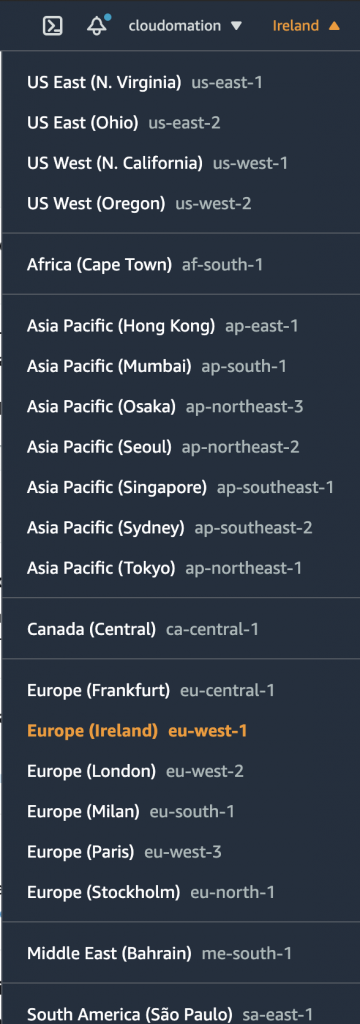
Pro Tip: to achieve the best performance always choose the closest region to your physical location.
AWS Available Zones aka AZ’s
A group of logical data centers forms an Availability Zone (AZ) in an AWS Region. Moreover, Each AWS Region consists of multiple, isolated and physically separate AZ’s within a geographic area. Usually 3 AZ’s form an AWS Region (minimum 2, maximum 6). Each AZ has independent redundant power, cooling, and physical security and is connected via redundant, ultra-low-latency networks.
AWS isolate the regions from disasters as physically separated. Also provide more highly available, fault tolerant, and scalable infrastructure than a single data center.
AZ naming convention is to add an extra alphabet character after the AWS Region name:
<continent code>-<cardinal-direction>-<serial number><AZ identifier>
for instance, eu-west-1a is the ‘a’ AZ in Western Europe, Ireland AWS Region.
Global vs Regional AWS Services
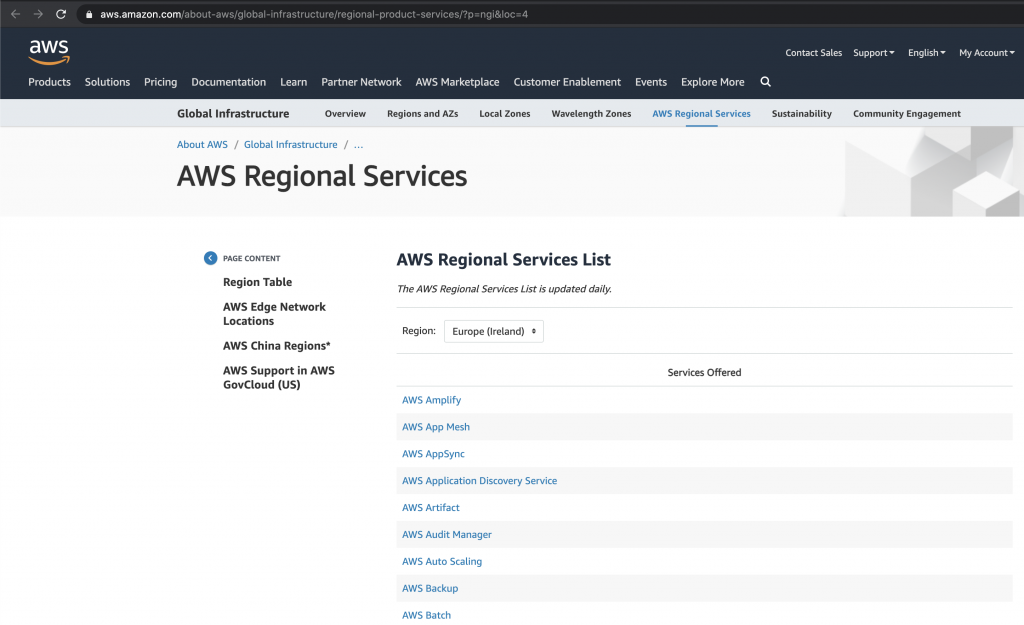
Some AWS services are Global scoped whilst most of them are Region scoped. As a result their data won’t be synchronised across multiple regions. Also some service are available in one region but not yet in another. Always check the Service Regional availability.
For example:
Pro Tip:
If a service is not available in your default AWS Region, choose the closest AWS Region in which the service is available. You can always check which service is available in which AWS Region on the AWS => Global Infrastructure => Regional Services page.
In conclusion, now you have all the necessary knowledge about AWS Regions and AZ‘s. Therefore you can easily decide which one to use.
If you are just starting out the choice is easy, just choose the closest one which provides all the services you need. On the other hand, if you have already started your AWS journey and using some services, you can try to migrate your work over to the best region.